Smart Link Grabber: link extractor for Chrome
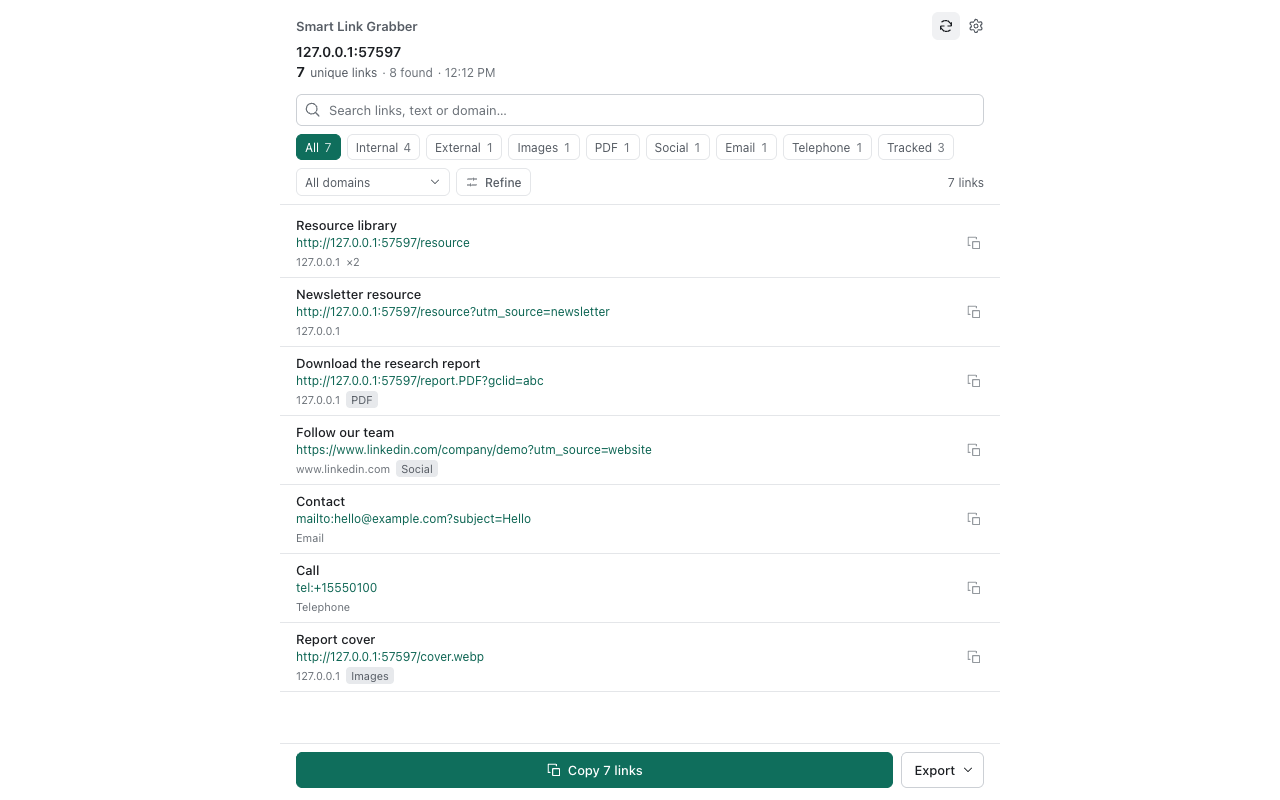
Turn the links on your current webpage into a clean, useful list. It opens in Chrome's side panel so you can filter, clean and export URLs without copying them one at a time.
What it does
- Collects loaded hyperlinks, image addresses, email links and telephone links from the main page document.
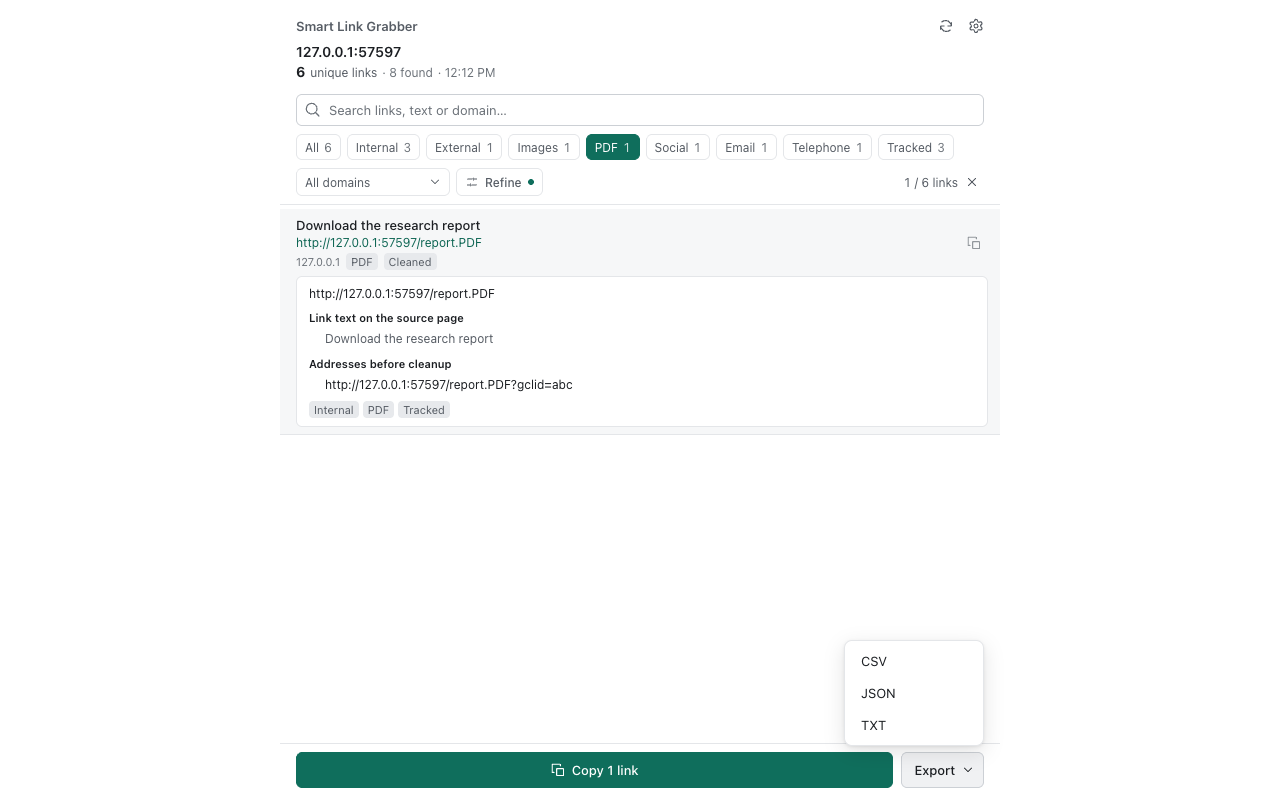
- Finds PDF links, internal and external links and social links. Categories can overlap.
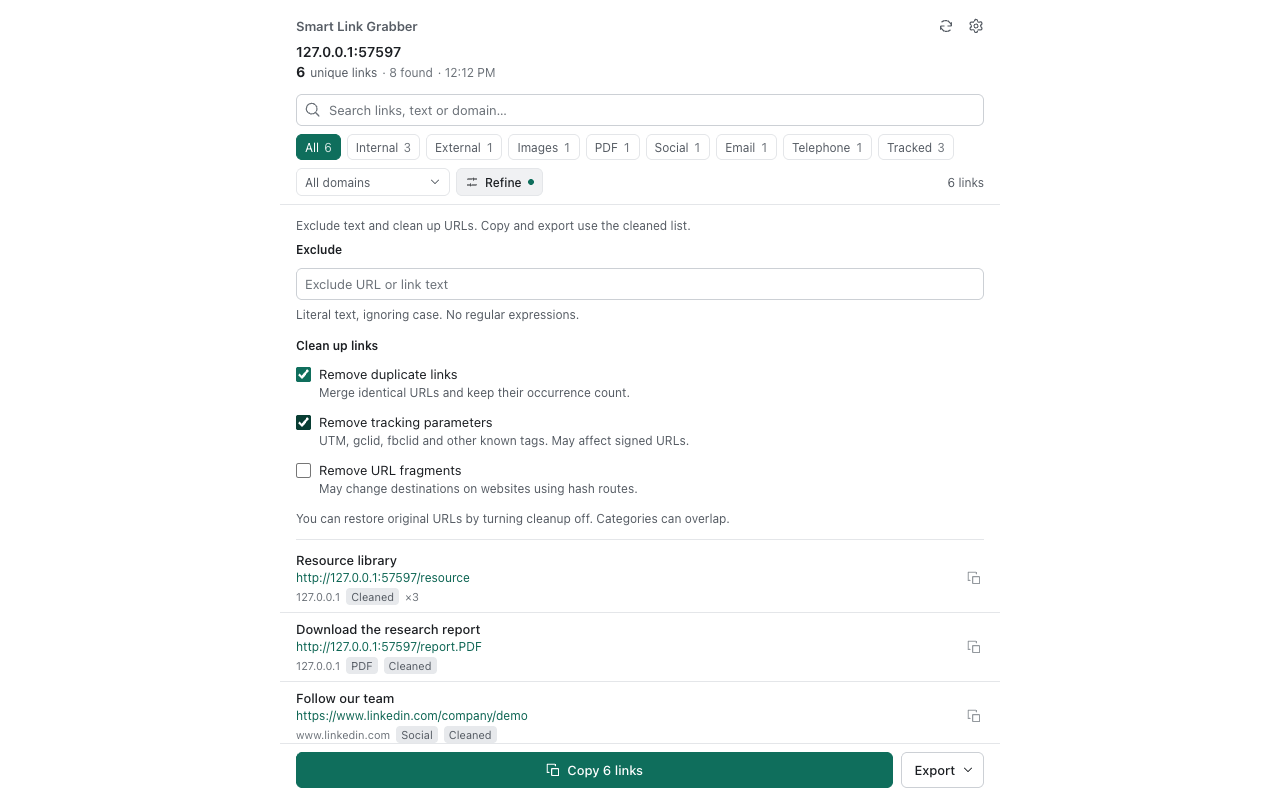
- Searches and filters by domain; removes duplicate URLs while keeping occurrence counts.
- Optionally removes known tracking parameters such as UTM tags, and can restore the original URLs.
- Copies results or exports TXT, CSV or JSON.
Supported scope
Only loaded main-document content is collected. Embedded frames, shadow roots, unloaded content, automatic pagination and multi-tab extraction are not included. PDF filtering identifies .pdf addresses; it does not read PDF documents. Protected browser pages cannot be analyzed.
Privacy
No account is required. Page and link content is processed in your browser and is not automatically uploaded. Optional device-only usage counts can be disabled, cleared or exported in settings. Read the privacy policy.