How to extract PDF links from a webpage
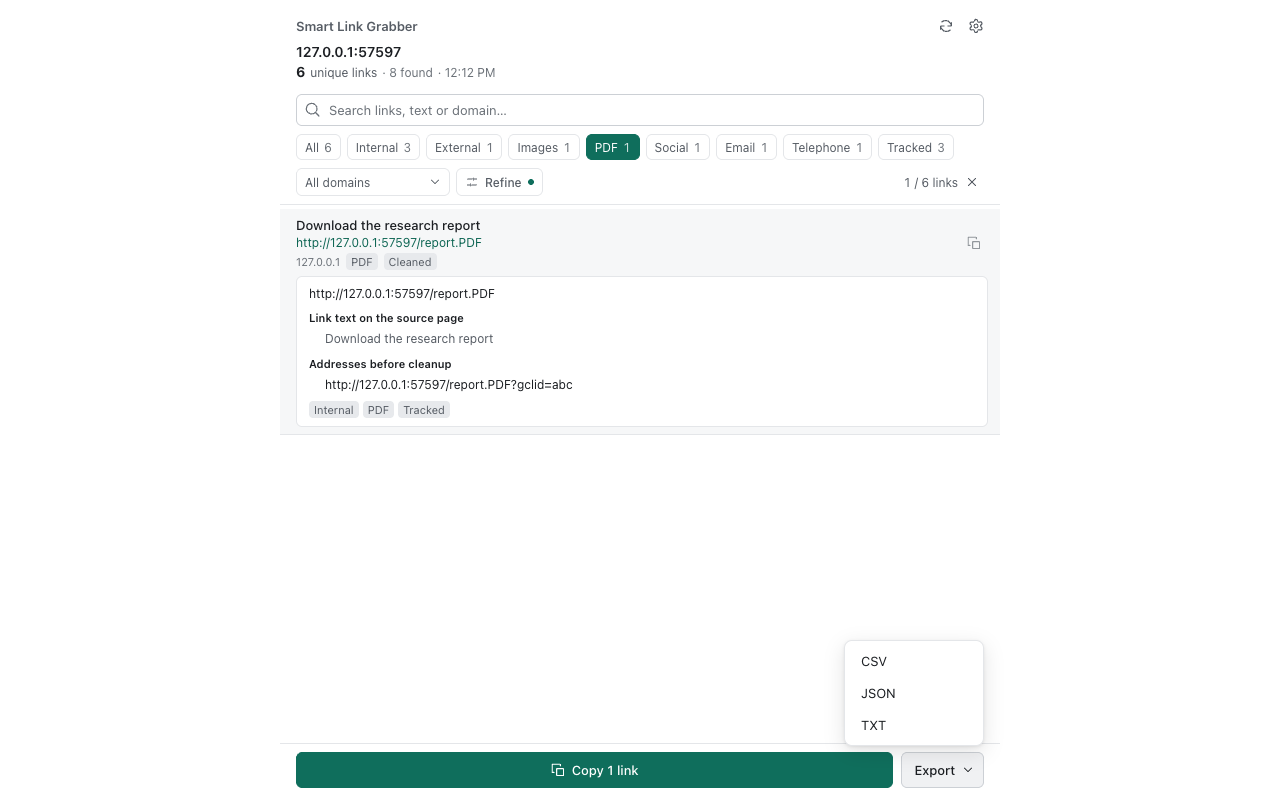
Resource and reference pages often link to many PDFs. Instead of right-clicking each one, use the PDF filter in Smart Link Grabber to list them together.
Steps
- Install Smart Link Grabber.
- Open the page and scroll so all content is loaded.
- Click the toolbar icon to open the side panel.
- Select the PDF category.
- Remove duplicates, and optionally filter by domain to keep one source.
- Copy the list or export TXT, CSV or JSON.
What this does and does not do
- It identifies links whose URL path ends in
.pdf, including paths followed by a query string or fragment. It does not open or read PDF documents. - It does not download the files. Use the exported list with your own download tool or workflow.
- PDFs behind buttons, scripts or unloaded content may not appear as links on the page.